
iPhone 4 Unlocking Instructions
iPhone Unlocking Instructions:
1. Press *#06# to find your iPhone’s IMEI number
2. Place your order below
3. Once your order has finished processing you will receive an email from us saying “Activated” or “Unlocked”.
4. Now do the following below:
– Install the lastest version of iTunes
– Connect phone to iTunes with not accepted (not valid) sim card
– Wait until itunes detects phone
– Now disconnect your iPhone and then reconnect after 10 seconds.
– Phone is Unlocked! You will see this on itunes:
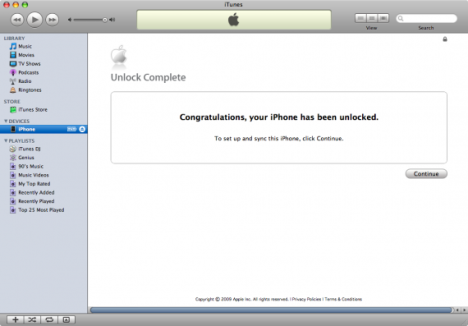
5. Your iPhone 4 is factory Unlocked!
NOTE : This is the only “lifetime” unlock solution for iPhone 4 as the IMEI is registered as “Unlocked” in Apple database. Your phone will always be unlocked even after each new update of your phone’s firmware!
